 ]
]

This folder is meant to hold all the media files and one textfile required for the Challenge Maze Software to present a room passage to players.
This image file will automatically show when a player is presented with a closed passage in the back position.
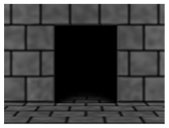
This image file will automatically show when a player is presented with an open passage in the back position.
This image file will automatically show when a player is presented with a closed passage in the left position.
This image file will automatically show when a player is presented with an open passage in the left position.
This image file will automatically show when a player is presented with a closed passage in the right position.
This image file will automatically show when a player is presented with an open passage in the right position.
This sound file will automatically play when a player solves a challenge that in a room that also has a hidden passage.
This sound file will not automatically play but can be useful in writing a CutScene for the CutScene - Hidden Passage Intro.
This sound file will automatically play when a player walks into the passage but the passage is impassable because it is closed or locked.
This sound file will automatically play when a player is presented with a passage that is opening.
Visit the (passage name).txt File page for details about this file.


